
For decades, the personal computer remained anchored to an office desk. Big metal towers, thick monitors, and tangled bundles of cables defined the daily workspace. When touch tablets first entered the market, most people viewed them as basic media screens. They were handy for reading books and streaming videos on the couch. You could check email or scroll through pictures. Even so, serious creative tasks and business projects still required a traditional laptop or tower machine. Over the past five years, that line has blurred.
Advances in mobile chip design and desktop software have turned modern Android tablets into capable workstations. Today, lightweight tablets can handle photo edits, multi-sheet spreadsheets, coding tasks, and writing projects from anywhere. Whether you work from a public library, a coffee shop, or a campsite off a gravel road, one flat slate can replace a packed computer bag. Achieving this desktop feel depends on key hardware and software working together.
Silicon Muscle and the Evolution of Mobile Chips
At the center of any modern tablet workstation sits an advanced system on a chip. Premium slates like the Samsung Galaxy Tab series pack octa-core architectures. These chips divide work between high-speed performance cores and energy-saving efficiency cores. Processors like the Qualcomm Snapdragon series handle demanding computing tasks. Meanwhile, they sip battery power during lighter work. Fabricated on tiny nanometer scale processes, these chips stay cool during intense multitasking sessions without needing noisy cooling fans.
This processing speed changes what is possible on mobile software. You can run four apps side by side, compile scripts, and render large images without stuttering. Fast memory and solid state storage allow large files to open instantly. That speed matches the feel of an expensive ultrabook. These processors generate minimal heat, so tablets stay thin and quiet while delivering steady performance across long work hours. Battery life easily lasts through a full day of mixed typing, web research, and audio playback.
Desktop Mode and External Display Workflows
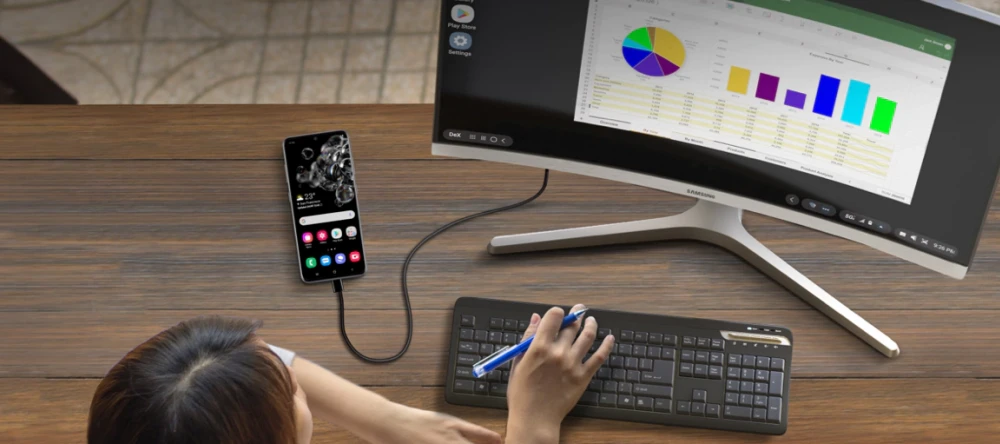
Raw silicon power alone does not turn a tablet into a computer. The real breakthrough comes from interface design. Samsung DeX bridges the gap by transforming the standard mobile layout into a floating-window desktop environment. Connect your tablet to a monitor, mouse, and tactile keyboard. The home screen reorganizes into a classic taskbar with an app tray and system clock. You can browse through multiple windows, drag files between folders, and snap windows to the screen edges.
This desktop workspace lets you organize projects just like a desktop computer. You can write an essay on one side of the screen while keeping research notes and a spreadsheet open on the other. For travelers and remote workers who want to test external monitors and portable hubs, you can inspect compatible options through Samsung DeX hardware adapters. This bridge allows you to plug into any hotel desk or co-working space and start working within seconds.
Touch Screens, Precision Pens, and Fast Networks
Hardware input tools further expand the tablet advantage over standard laptops. Premium AMOLED panels produce deep blacks and rich colors because each organic pixel produces its own light. When you edit photos or read text, high contrast ratios reduce eye fatigue across long sessions. Paired with a low-latency stylus like the Samsung S Pen, the glass screen becomes a digital sketchpad. You can mark up documents, handwrite meeting notes, and sketch diagrams with natural pressure sensitivity.
Modern wireless networks complete the portable workstation setup. While older LTE networks offered adequate browsing speeds, modern 5G radios deliver rapid download speeds and low latency across mobile towers. This high-speed connection lets you upload video footage, sync cloud backups, and participate in video calls from remote locations without hunting for public Wi-Fi. Combined with spatial audio tools like Dolby Atmos that sharpen speech during calls, the modern Android tablet gives mobile professionals a compact setup that travels anywhere with ease. Whether you write code, edit photos, or run a remote business from the trail, modern slates deliver desktop flexibility in a slim design that slips into any daypack.